An easy way for a user to update a device’s firmware is via its USB interface. Here is how a device can support this functionality.
Overview
By setting the logic levels of a STM32 MCU’s pins Boot0 and Boot1 the boot mode of the device can be configured. Boot1 is usually tied to ground unless a system is configured to boot into SRAM. I am ignoring this case here.
For normal operation, i.e. boot from main flash memory Boot0 must be kept low. If Boot0 is high when the system starts, the bootloader in system memory is started and the device will appear as a “STMicroelectronics STM32 Bootloader” device on the host computer.
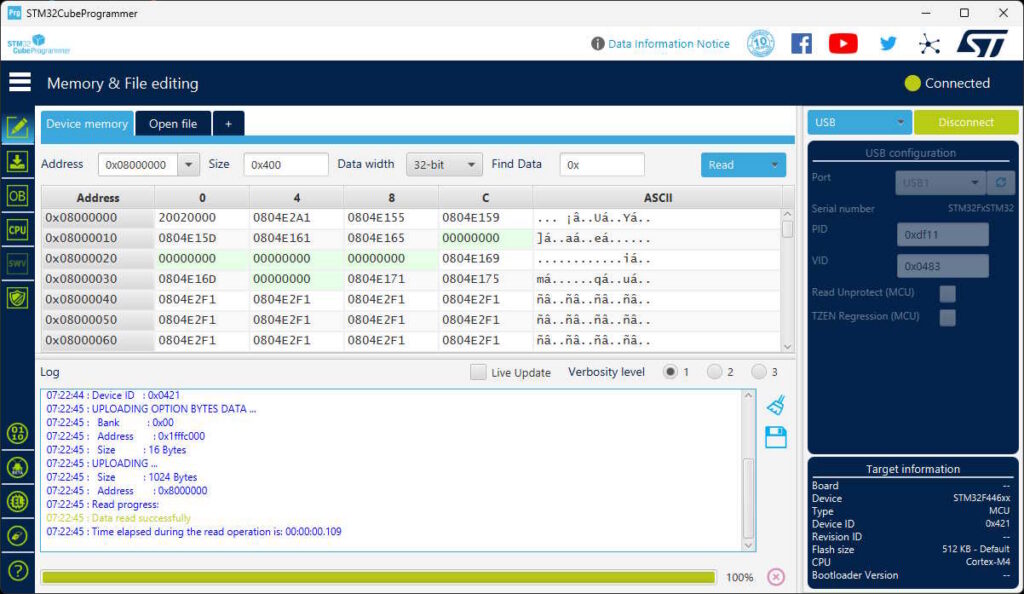
We can then use STM32CubeProgrammer to download new firmware onto the device.
Setting Boot0
There are several ways a user can set Boot0 to start the bootloader on a system restart.
Jumper
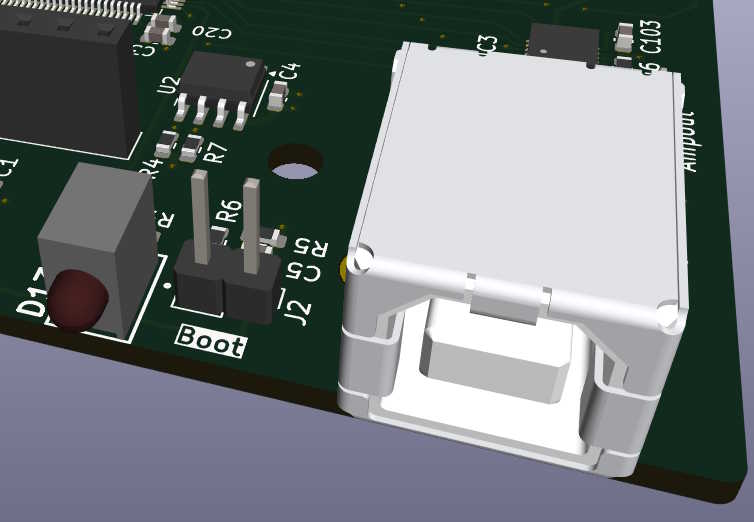
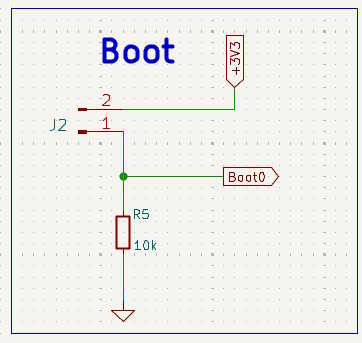
Providing a pair of pin headers the user can bridge with a jumper to pull Boot0 to +3.3V is easy to implement. R5 pulls down Boot0 in normal operation and by bridging J2 the device will start the bootloader when powered up.
To perform an update a user needs to do the following:
- Unplug or switch off the device
- Open the enclosure (get a screwdriver or other tools)
- Find the bridge and the jumper (if provided)
- Place the jumper
- Restart the device
- Download firmware
- Remove the jumper
- Close enclosure
- Restart device
With these many steps and the need for opening the enclosure this method should best be reserved for experienced users.
Button
To avoid having to open the enclosure we can replace the jumper by a pushbutton. Usually such a button can be pushed by sticking a pin or paper clip through a small hole in the back panel.
The procedure in this case is as follows:
- Unplug or switch off the device
- Get a pin or paper clip
- Find the hole and stick the pin or paper clip in while at the same time plugging in or switching on the device
- Download firmware
- Restart device
This method is better but still requires some diligence. There is no immediate feedback to the user, telling them that the button was actually pressed. This makes this method less than optimal.
Firmware
If the device offers a graphical user interface or remote control we can use this to restart the device into the bootloader. For this to work we modify the circuitry a little.
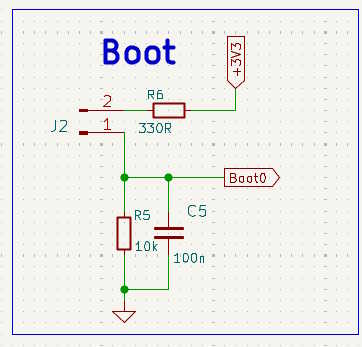
We keep the pin headers for the initial bringup or for when the firmware is not running. R5 has a 100nF capacitor in parallel and Boot0 is now also connected to a GPIO pin.
When the user initiates a firmware update procedure, the firmware first pulls Boot0 high with the GPIO pin, this will charge C5, and then executes a system restart (e.g. by calling NVIC_SystemReset()). The GPIO pulling Boot0 high will immediately be disabled on a system restart but C5 still has enough charge so the MCU sees a high level on Boot0 and starts the bootloader. (For some MCU configurations a longer time constant my be required. Increasing the value of R3 to 33kOhm has fixed this for me.)
The procedure in this case is:
- Start FW update via GUI or remote command
- Download firmware
- Restart device
Why not just jump to the bootloader from the firmware right away instead of pulling a GPIO?
Although possible, jumping to the bootloader from the firmware requires that we clear all peripherals and IRQs first. This is very much dependent on the specific project and the type of MCU used. In case you miss to reset a peripheral, the bootloader may just crash, giving you no hint on what went wrong.
Another idea I have tried is to avoid resetting the peripherals by jumping to the bootloader at the very beginning of main(), before the periphersals are even initialized. To do this we need a noninitialized variable which is tested in main() and set in the jump-to-bootloader command handler. Creating such a noninitialized variable entails its own set of issues because it requires setting up a special memory section in the linker skipt, taking care that the write operation to the variable is not optimized away by the compiler asf. As the RAM configuration is different for each type of MCU this approch, although in theory more robust than a direct jump, is also less than generic.
The solution presented here, on the other hand, requires some hardware support but is generic and works no matter what.
Button + Firmware
For devices without any other means of user interaction we can combine the pushbutton and firmware methods. The GPIO connected to Boot0 is configured as an input and its state is constantly being monitored by the firmware. If the user pushes the button, the firmware executes a system restart and boots into the bootloader. C5 keeps the charge even for very short button presses or if the switch bounces. The procodure is as above apart from that you need a paper clip.