The Firmware – GUI and Remote Control
Firmware
The RDEC7 firmware is a bare metal system written in C/C++ using ST’s Cube IDE. GUI and remote system are built on a framework which I already used for several other projects.
Graphical User Interface
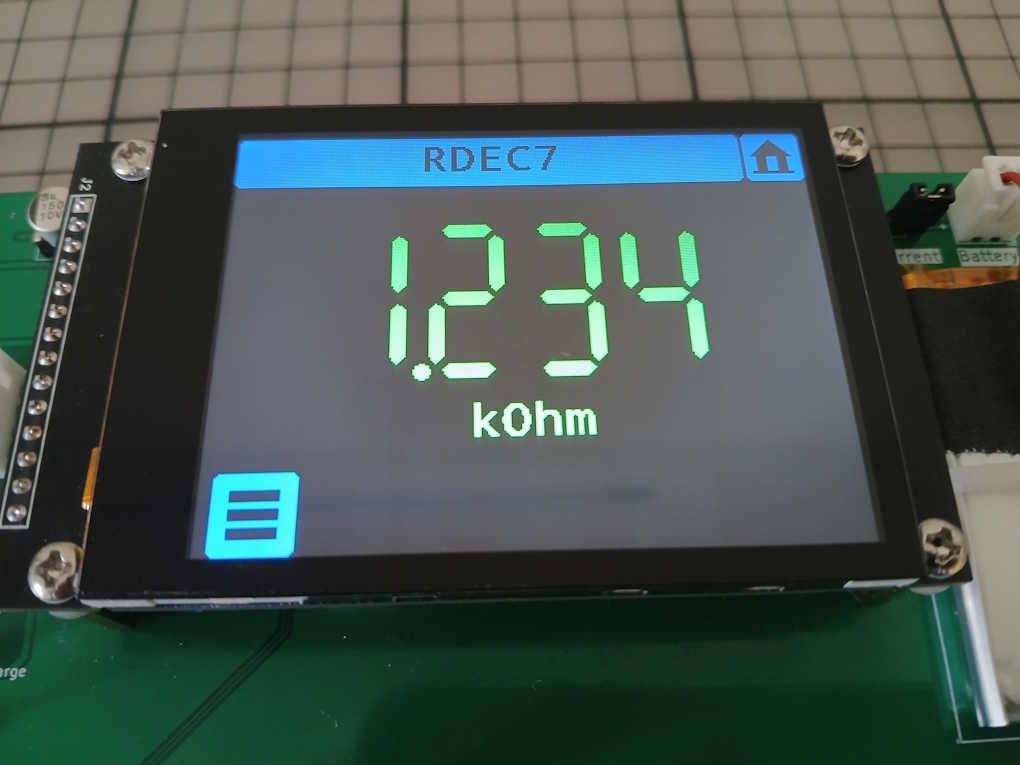
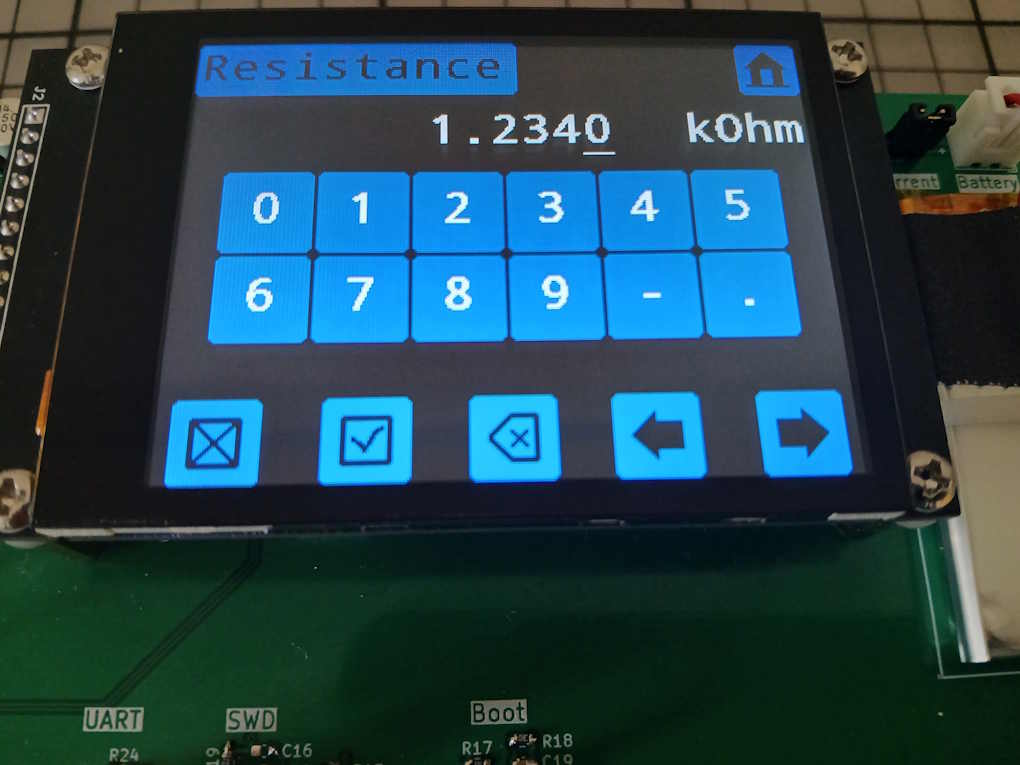
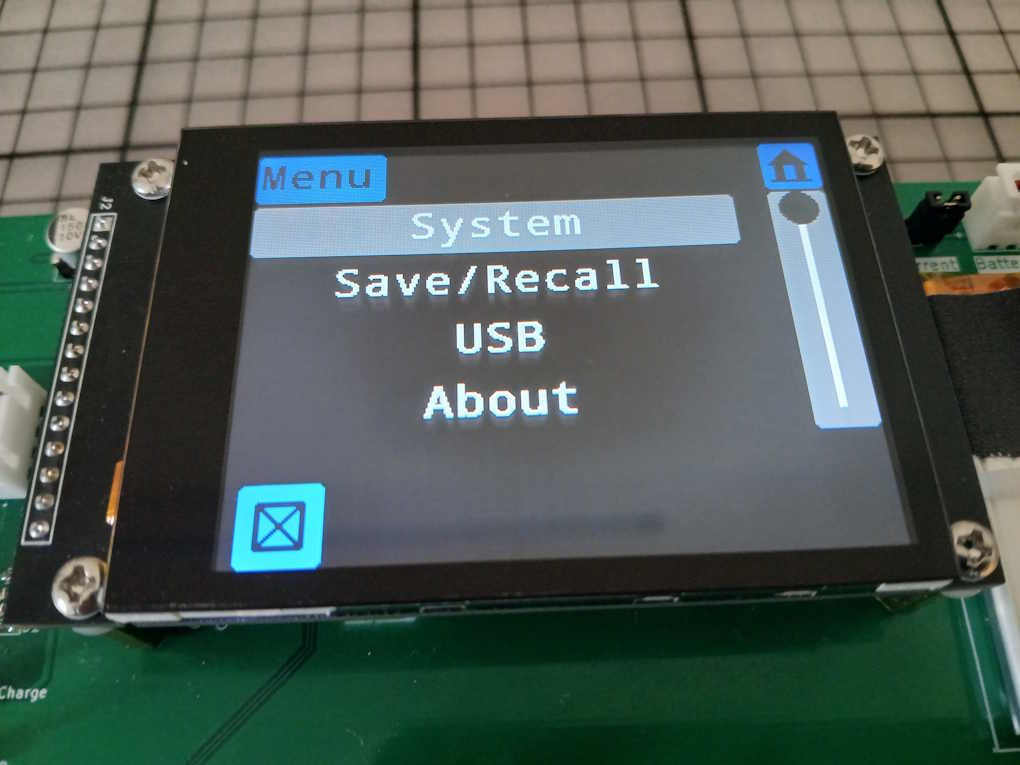
The user can interact with the device through the 2.8“ capacitive touch screen. The GUI elements have been kept large so the screen can be conveniently operated without needing a stylus.
This is the list of screens the user can navigate to.
| Main screen | Display actual resistance as a large 7-segment number. Tap to open the Resistance editor. |
| Main2 | Select switching mode/ Open loop |
| Resistance editor | Enter the desired resistance. |
| Limits | Set upper/lower limit |
| System | Show battery voltage. Edit sleep parameters. |
| Save/Recall | Save/Recall/Preset/Autosave |
| USB | Display Visa resource string. |
| About | Show serial number and FW version. |
| Calibrate .. Calibrate4 | Enter calibration values. |
| Register | Enter registration key. |
Remote Control Interface
The device can be remote controlled via its USB interface. To a host it is visible as a composite USB device with a USBTMC interface and a CDC (serial) interface. The language used is SCPI.
Example:
Set the resistance to 123.4 kOhm : SOURce:RESistance 123.4KOHM
Read the actual resistance: SOURce:RESistance:ACTual?
→ returns the result e.g. 123399.9
This is a list of selected commands. To get the full list use command „SYSTem:HELP:HEADers?“. A description of all commands is available in the manual in the download package (see Part 8).
| SYSTem:SLEep:ENABle[:STATe]? | Enable/disable the system sleep mode |
| SYSTem:SLEep:TIME? | Sleep timeout time |
| SYSTem:ASAVE[:STATe]? | Enable/disable automatic saving after each change of a persistent parameter. |
| SYSTem:REGistration:KEY/nquery/ | Set the registration key |
| SYSTem:BATtery:VOLTage?/qonly/ | Query the battery voltage |
| SOURce:LIMits:ENABle[:STATe]? | Set/query the limiting function |
| SOURce:LIMits:LOWer? | Set/query lower limit |
| SOURce:LIMits:UPPer? | Set/query upper limit |
| SOURce:RESistance? | Set/query the desired resistance |
| SOURce:RESistance:ACTual?/qonly/ | Query the actual resistance |
| SOURce:RESistance:SWITching:MODE? | Set/query the switching mode |
| SOURce:RESistance:OPEN/nquery/ | Put the resistor in the open state. („Infinite“ resistance) |
| ADJustment:RELay:RESistance? | Set/query the adjustment value for the relay resistance |
| ADJustment:LLOop:RESistance? | Set/query the adjustment value for the „long loop“ resistance |
| ADJustment:SLOop:RESistance? | Set/query the adjustment value for the „short loop“ resistance |
| ADJustment:LLOop:CLOSe/nquery/ | Close the long loop. Bypass relay is open |
| ADJustment:SAVe/nquery/ | Save adjustments to Eeprom |
Limits
To prevent inadvertently setting a resistance which may damage a connected device or the device itself the firmware includes a limiting function.
[:SOURce]:LIMits:ENABle[:STATe]?
[:SOURce]:LIMits:LOWer?
[:SOURce]:LIMits:UPPer?
For safety reasons these three parameters are not affected by a *RST or reset via the GUI..
Sleep Mode
After a period of inactivity (no user interaction with the touch display, no remote control commands received) the device goes into sleep mode. In sleep mode the display is turned off and the MCU turns off certain features reducing its power consumption. USB is also turned off and no commands can be received during sleep mode. With a tap on the touch screen the device returns to normal operation.
Sleep mode can be enabled/disabled by the user and the timeout period can also be configured.
Registration
The RDEC7 firmware is available as a binary file with a time limitation. It will work for 30 minutes after which time you will have to restart the device.
The limitation can be removed by entering a registration key which is available for free on request.